How to Disable Multi-Factor Authentication in Chartnote
Step 1: Log in to Chartnote
Open your web browser.
Navigate to the Chartnote login page.
Enter your credentials to log in.
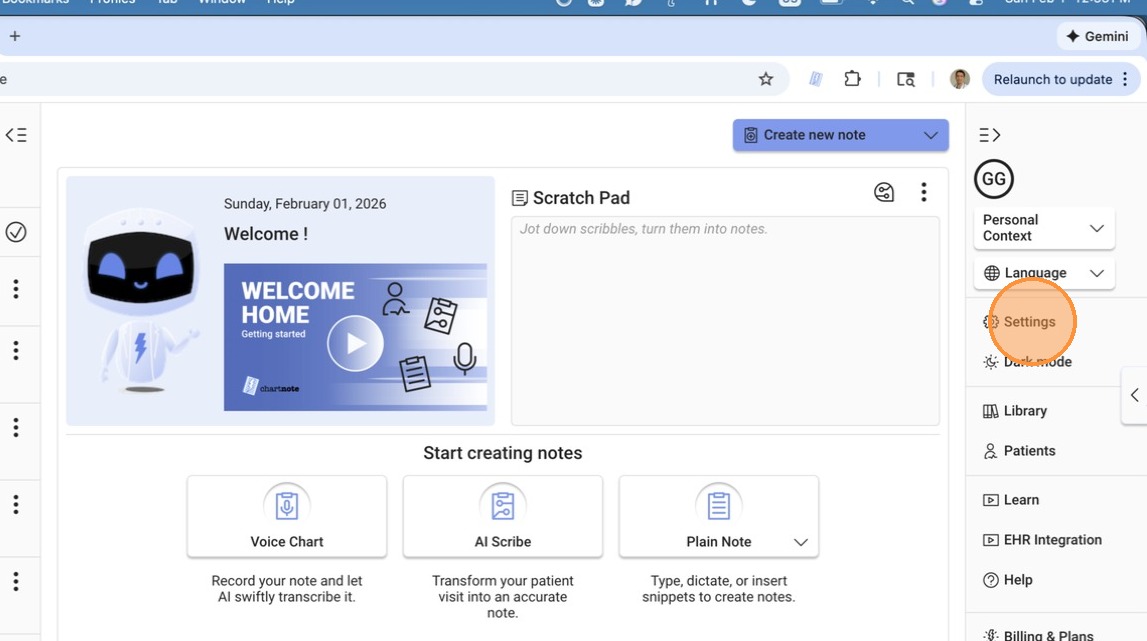
Step 2: Access Settings
Once logged in, locate the 'Settings' option in the menu.
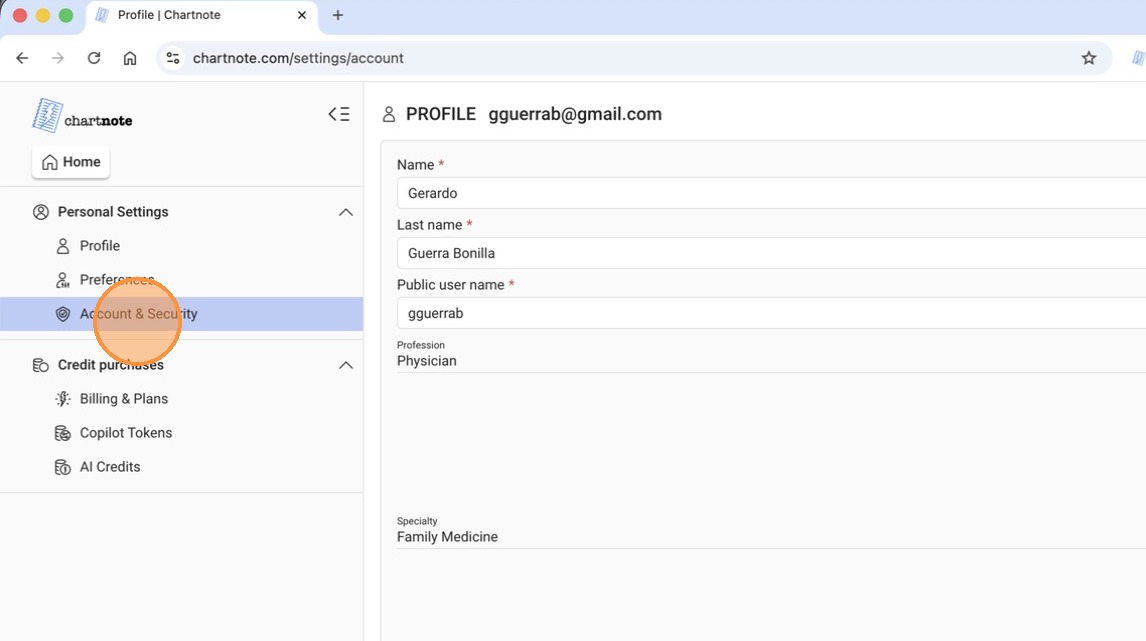
Step 3: Go to Account and Security
In the Settings menu, click on 'Account and Security'.
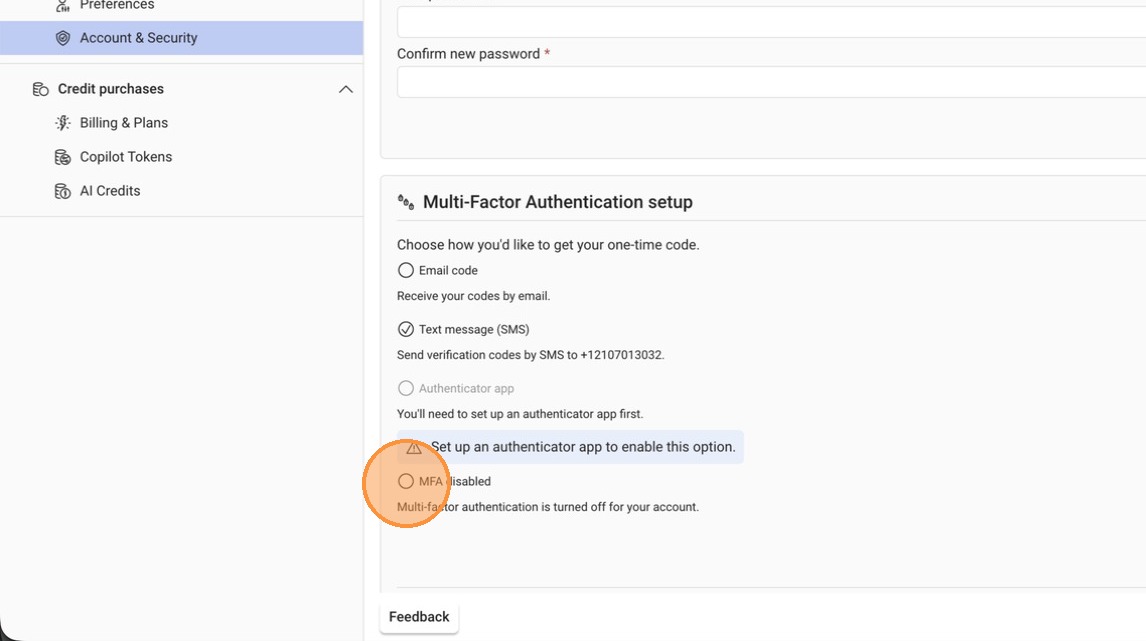
Step 4: Find Multi-Factor Authentication Setup
Look for the section labeled 'Multi-Factor Authentication Setup'.
Step 5: Disable Multi-Factor Authentication
Find the option that says 'MFA Disabled'.
Click on this option.
Step 6: Save Changes
After selecting 'MFA Disabled', click on the 'Save' button.
Step 7: Confirm Changes
Next time you log in, you will not be prompted to enter a multi-factor authentication code.