Updating your note template
Need to change the template after a note has already been processed? No problem. You can easily reprocess an existing note using Copilot tools and apply a different template—without starting over. Follow the steps below to update your template and, if applicable, adjust billing settings.
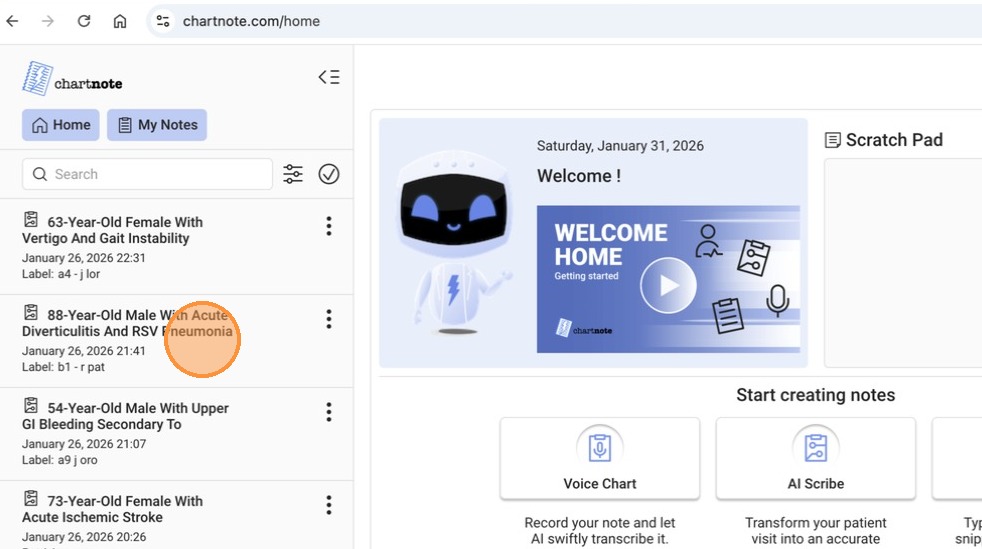
2. On the top menu click on Copilot tools.
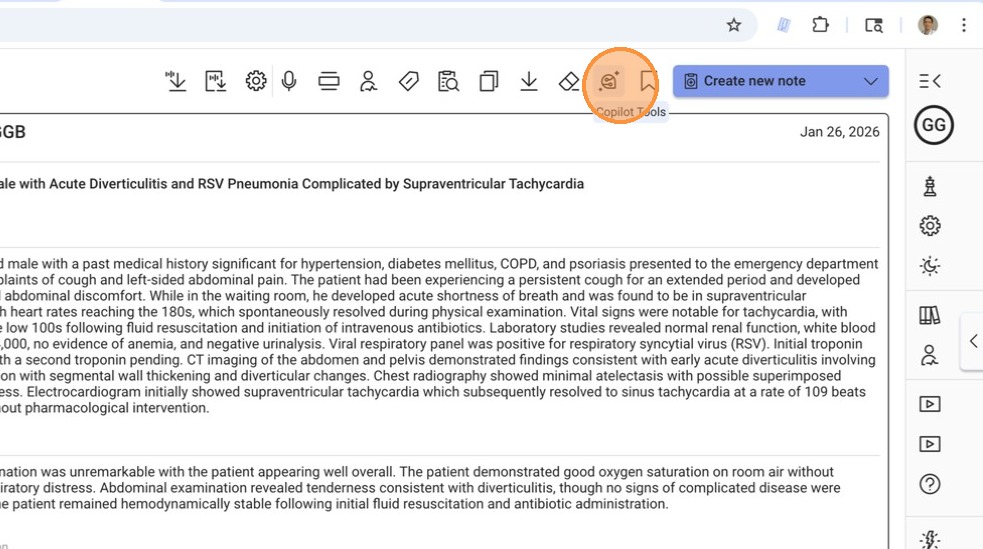
3. And then select 'Update template'.
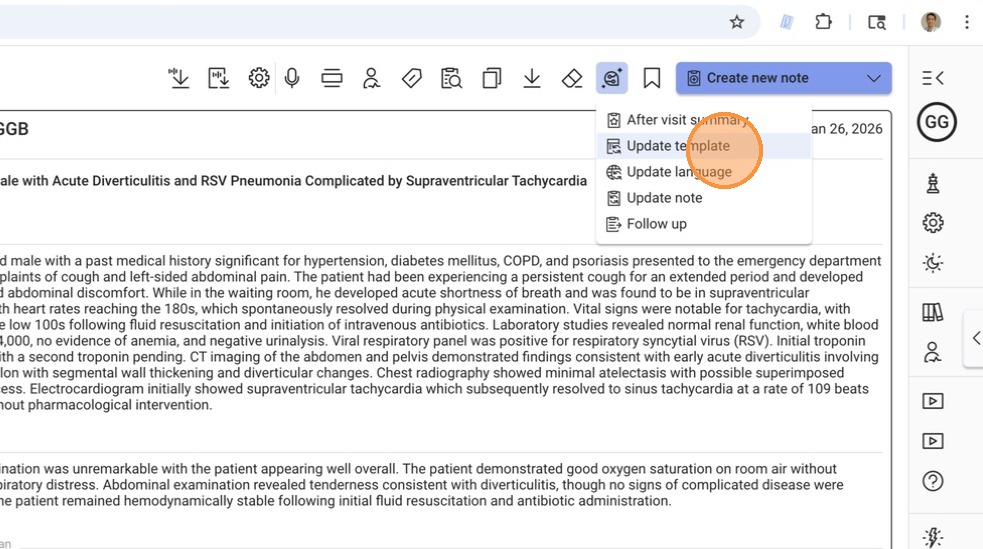
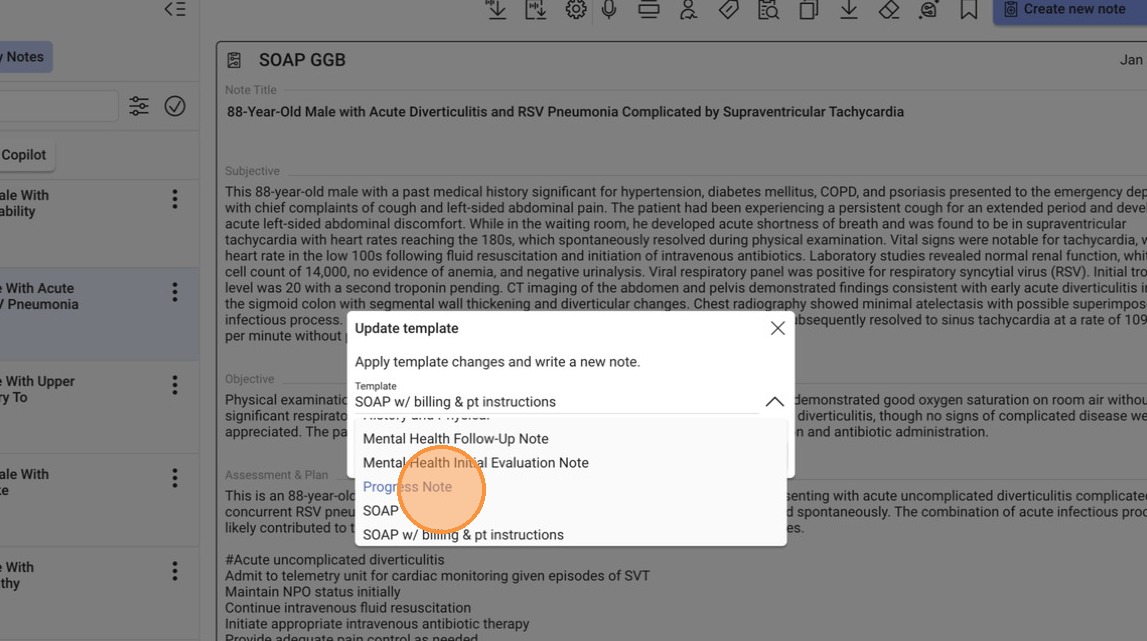
4. You're going to see this pop up with a drop down menu.
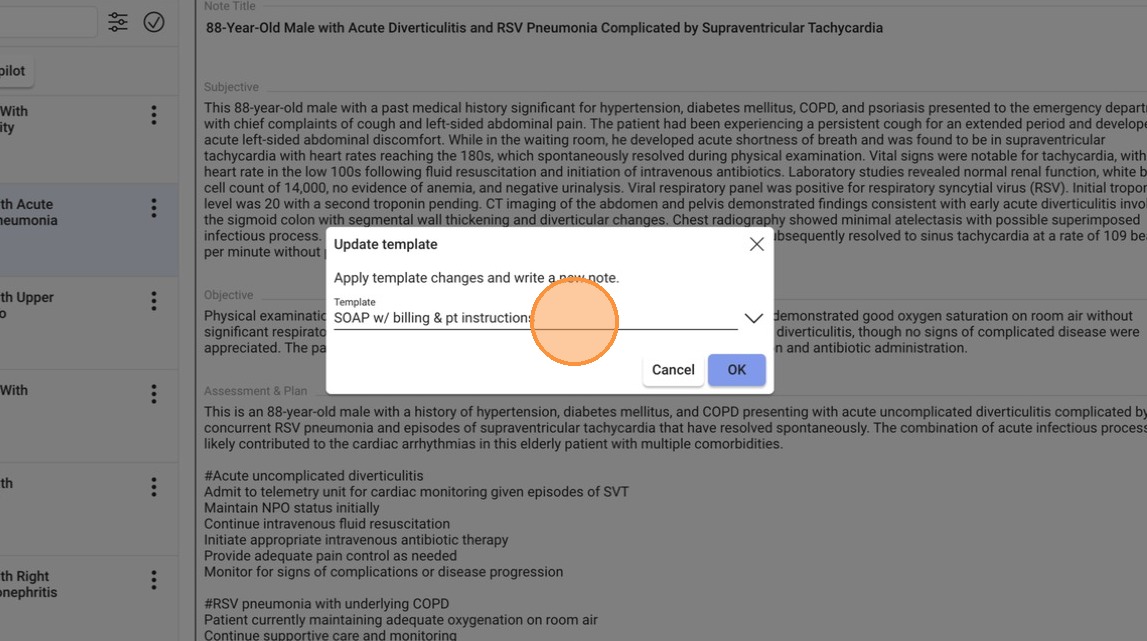
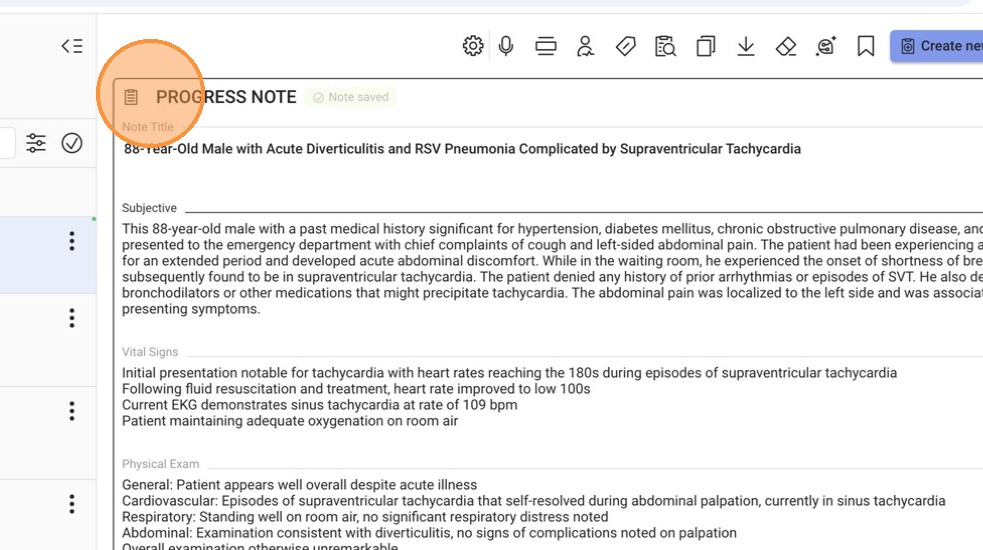
5. Click to select a different template. For example, select the 'Progress Note' template.
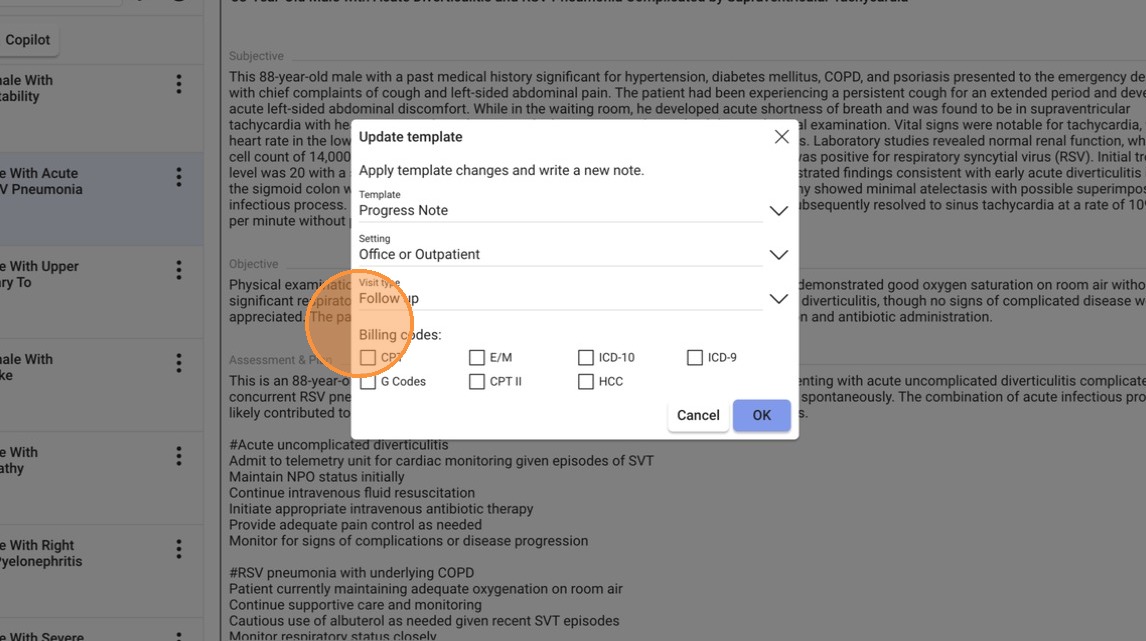
6. If billing is available for your template, you will have the option to change the settings of the encounter and select billing codes.
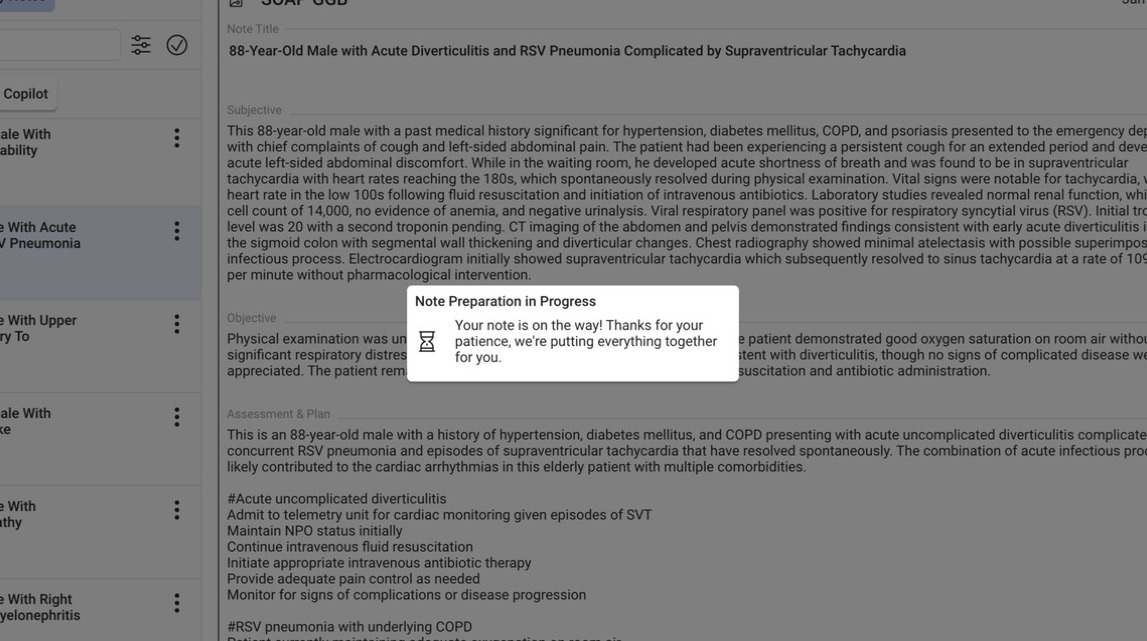
7. Your note will now be processed.
8. Click OK
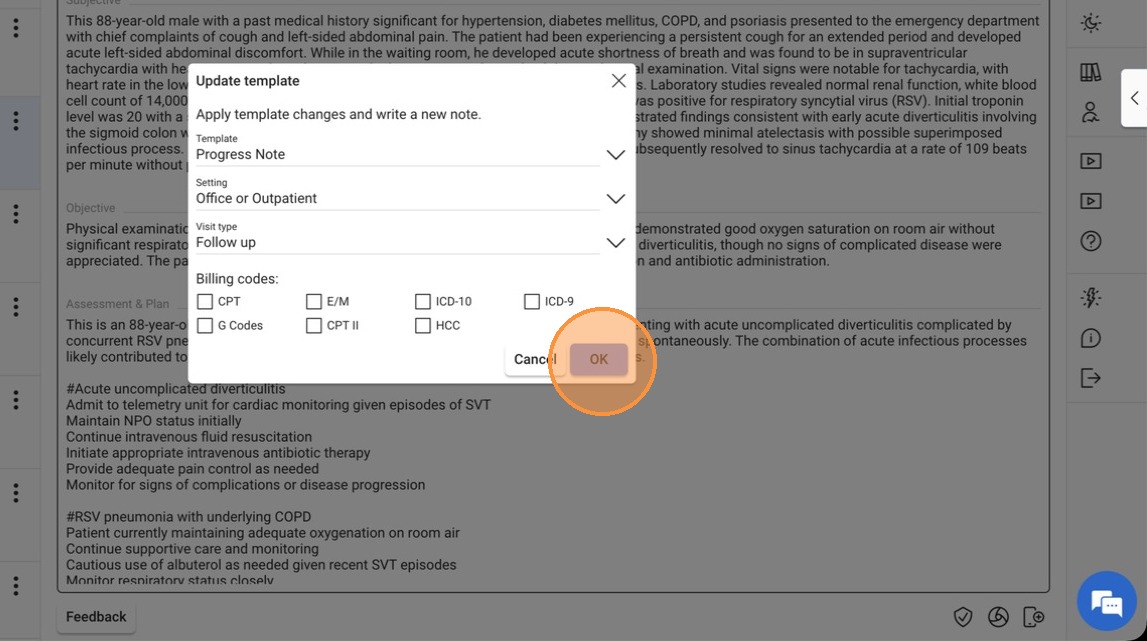
9. A new note under the new template will be now ready
Related Articles
Create an AI Note Template Using Chartnote Doc Wizard
The Chartnote Doc Wizard helps clinicians create better, faster clinical notes by turning their ideal note style into a smart, personalized template. Just share your specialty and a sample note, and the Doc Wizard will figure out your format, style, ...Building a Custom AI Note Template with Chartnote: A Step-by-Step Guide
Chartnote’s latest feature, Custom AI Note Templates, empowers healthcare professionals to tailor clinical notes to their specific needs. In this guide, we’ll walk through the process of creating a custom template, from initial setup to generating ...How to Integrate Chartnote with Dr. Chrono (Step-by-Step Guide)
Chartnote integrates seamlessly with DrChrono to help clinicians eliminate copy-pasting, reduce documentation time, and streamline their daily charting workflow. Whether you create notes using snippets, dictate with voice, or generate full visit ...Sample Consent Form for AI Scribe
This article explains how to find, customize, and use the Chartnote AI Scribe consent form. The form is one way to obtain and document patient consent for using Chartnote AI Scribe during medical encounters — in-person, telehealth, or phone visits. ...Sample Psychiatry Custom AI Note Template
Custom Note Instructions Structure: Notes follow a structured format with clear section headers, beginning with the Chief Complaint and ending with the Treatment Plan. Clarity and Conciseness: Documentation is detailed yet concise, with bullet points ...