How to Enable Chat Support in Chartnote
The chat bubble located in the lower right corner of your screen when using Chartnote allows you to chat with support.
However, this is only shown when you allow the cookies when you first visit Chartnote.
To enable chat support, follow these steps
Change Cookie Settings
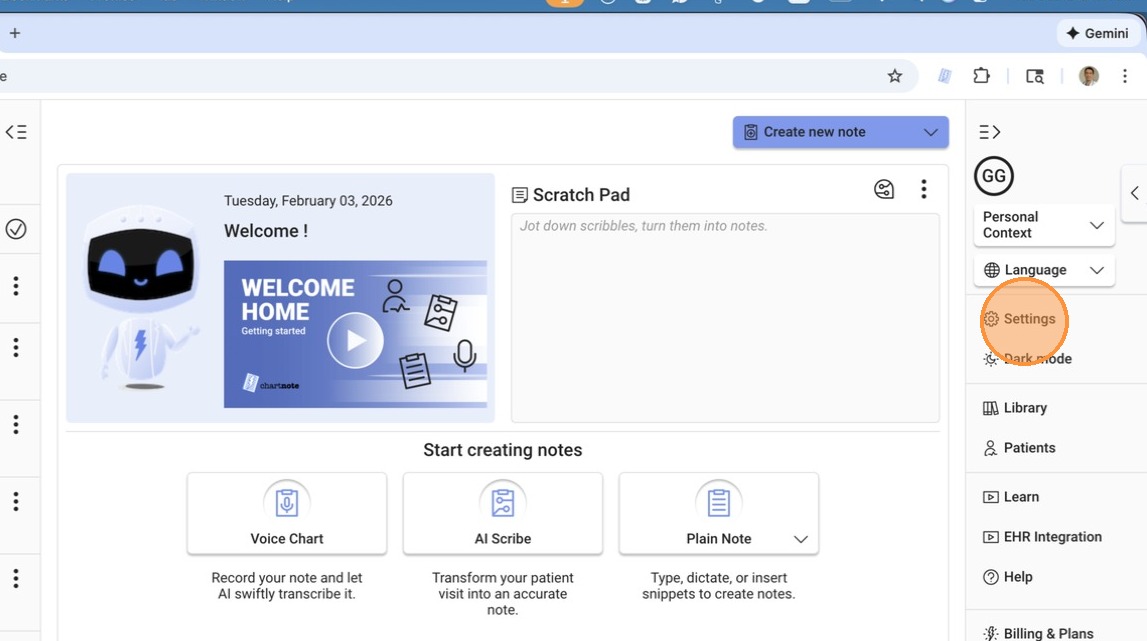
Go to 'Settings' and then 'Preferences'.
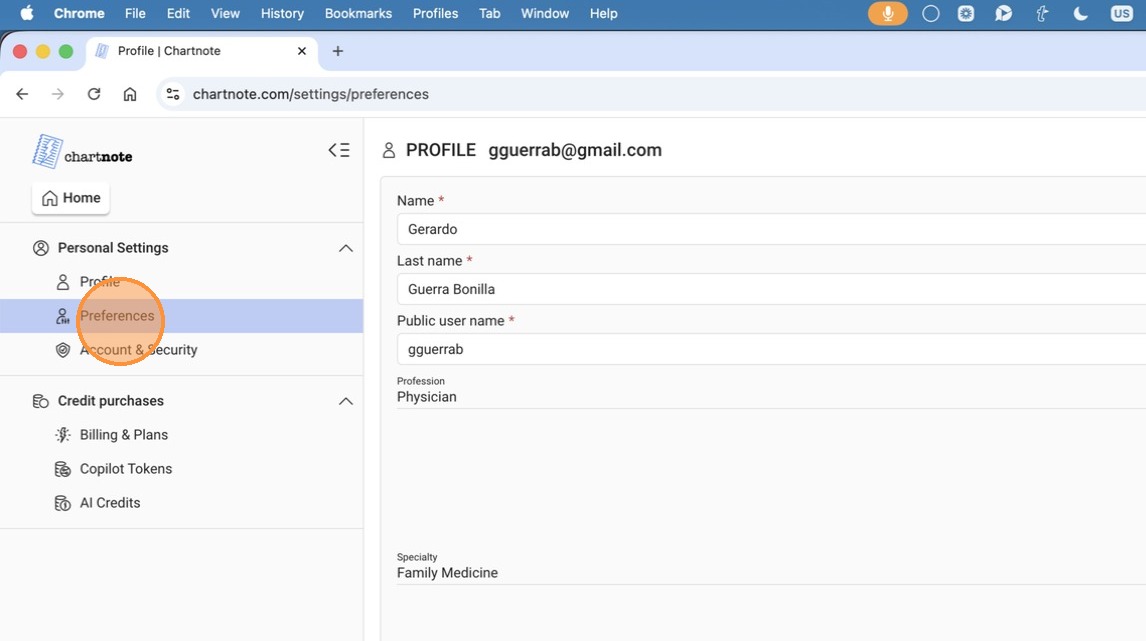
Scroll down to the 'Cookie Settings' section.
If you initially did not accept cookies, the three boxes will be disabled.
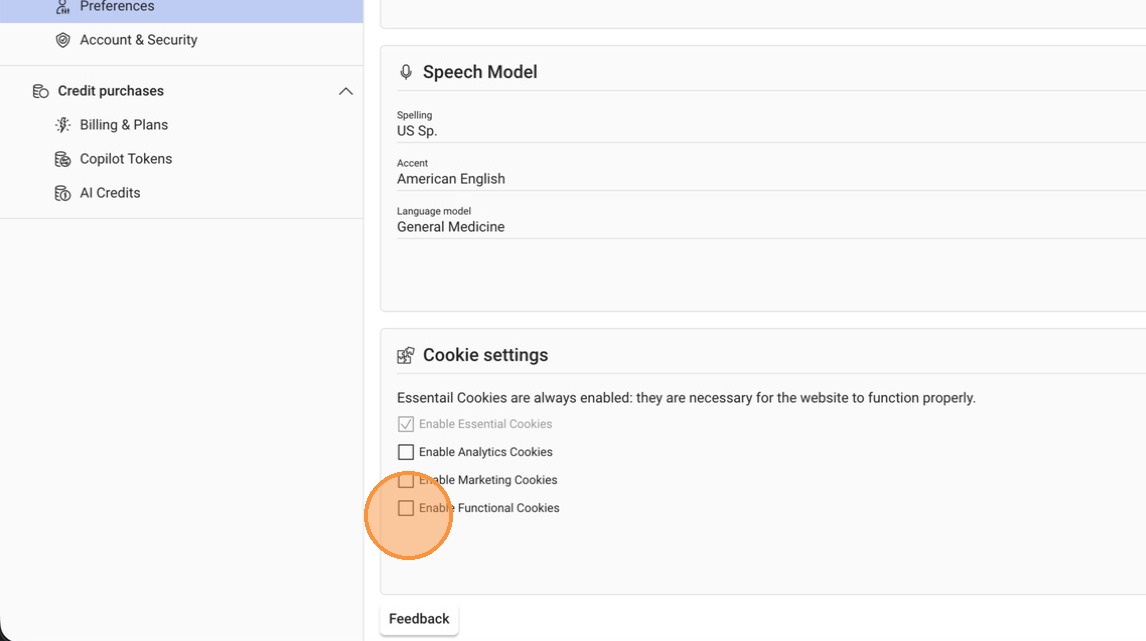
Enable Cookies
Enable Functional cookies by checking the box.
Click 'Save' to apply the changes.
After saving, the chat bubble should now appear on your screen.
Related Articles
Managing Cookie Preferences on Chartnote
This guide offers a straightforward approach to managing cookie settings on Chartnote, ensuring a smooth user experience. By following these steps, users can enable cookies for optimal functionality, including access to helpful features like the chat ...How to Disable Multi-Factor Authentication in Chartnote
Step 1: Log in to Chartnote Open your web browser. Navigate to the Chartnote login page. Enter your credentials to log in. Step 2: Access Settings Once logged in, locate the 'Settings' option in the menu. Step 3: Go to Account and Security In the ...Disconnecting Chartnote from Google Sign-In
How to Disconnect Char Not from Google Sign-In Step 1: Access Google Account Settings 0:00 Go to myaccount.google.com. Navigate to the 'Security' section. Step 2: Locate Third Party Apps 0:15 Scroll down to find 'Third Party Apps' or 'Connections to ...Chartnote Companion
Chartnote Companion is a feature of the Chartnote Chrome extension that helps you chart more efficiently directly inside your EHR. It allows you to pin a note and keep it visible while you chart, so you can quickly insert structured sections of your ...Need Assistance? Submit a Ticket
At Chartnote, supporting our users is one of our top priorities. Whether you're running into an issue, have a question, or simply want to share a suggestion, comment, or feedback, we're here to listen and help. If you ever need assistance, don't ...